A Guide to Gift Cards
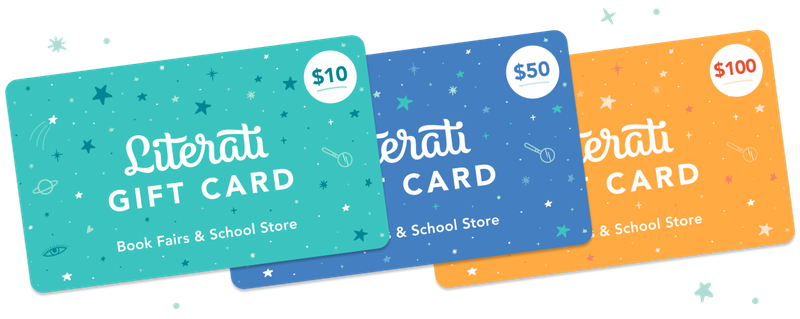
Gift cards are the safest payment method for students to use at the book fair. Unlike cash, a gift card code can be looked up on OpenBook if the printed card gets lost in a backpack or dropped in the hallway. They also make great individual gifts and general donations, so students, teachers, and librarians alike can add new favorite books to their shelves.
Send students home with this season’s Early Access Online Only Flyer, which families can use to purchase a gift card or shop our online-only selections.
Included in the Setup Kit that arrives with your fair, you’ll find mini-posters with three different designs. Keep these near checkout; each student who redeems a gift card at your in-person fair can choose one for free—only while supplies last.
Here’s a quick guide to gift cards for you to reference during your fair as needed.

Purchasing Gift Cards
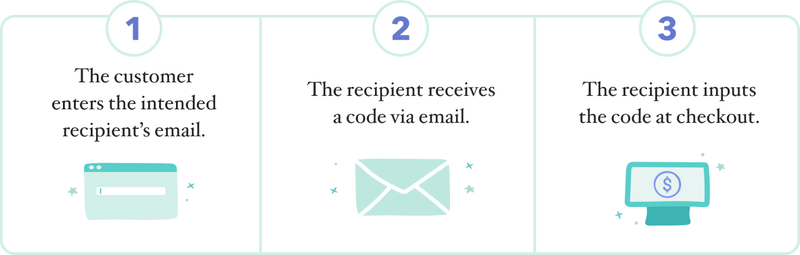
- Gift cards can be added to a purchase both online at Literati.com/Store and in person at your fair. Online, the customer enters the recipient’s email address when adding a gift card to their cart (using their own email address if purchasing for their child). In person, the cashier enters the recipient’s email address using the cash register. To save this information for your records, print an extra receipt and write in the sender and recipient.
- Once purchased, the gift card code will be delivered via email. Please have recipients check their inbox, spam, or junk folders if they are unable to locate their gift card code.
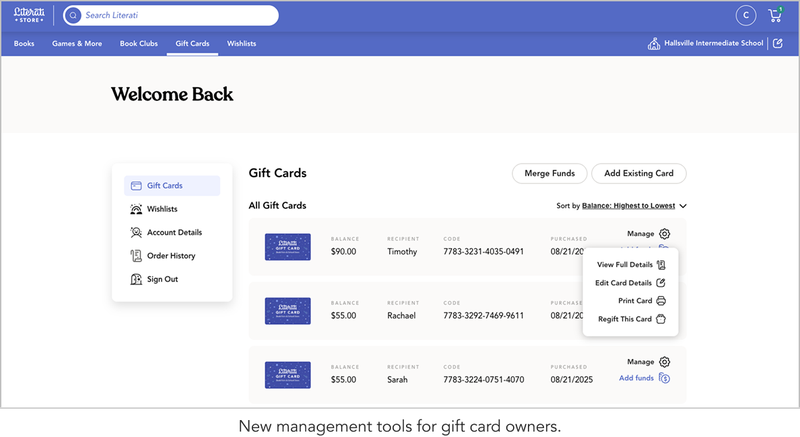
- New! Families can now manage their old and new gift cards on their accounts at Literati.com/Store. Here, they can add funds to existing cards, merge cards, update student name or classroom, regift cards by updating the email address, or manually add gift cards purchased at the in-person fair.
- To redeem in person, the cashier enters the code on the register or scans the printed barcode. (See below for more information on printing barcodes. Remember: each student who redeems a gift card in person gets to choose a free mini-poster while supplies last.) To redeem online, the recipient inputs the code at checkout.
- To redeem online, the recipient inputs the code at checkout.
- Because gift cards purchased in person can only collect limited information, we recommend purchasing gift cards online. This allows you to gather more details and makes it easier for you to look up individual balances or codes.
Promoting Gift Cards
- Share your online fair link early, and let your community know where they can purchase digital gift cards.
- Remind parents to purchase gift cards for their students before the book fair begins through social media and your school newsletter.
- Recommend gift cards as a way to thank teachers or fulfill teacher wishlists.
- Invite shoppers to donate leftover gift card funds to their teacher or librarian. When they’re ready, they can simply regift their card on literati.com/store using the instructions in the parent gift card guide.
- Use our Community Sponsorship Letter (found in the Resources section below) to encourage donations of Literati gift cards that will help every student be able to shop the book fair.

Resources