Requesting Replenishment
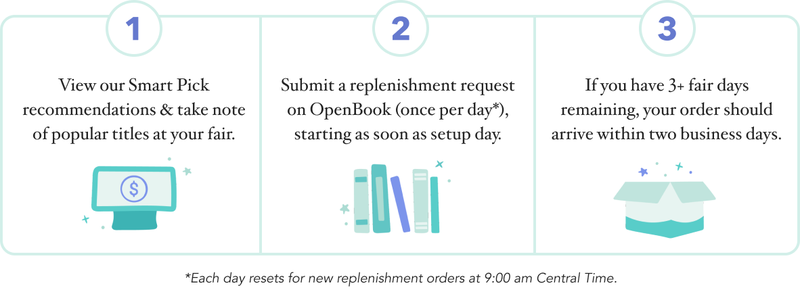
We know many schools may need extra books for classroom reading programs or community events. You can start requesting additional copies of titles on your fair’s setup day, and boxes will begin the 2-day shipping process if your order is placed before 9am Central Time. As long as you have three selling days remaining and we have the inventory, we’ll send you more books!
Refer to your book fair timeline on your book fair page in OpenBook for your fair’s dates.

Replenishment Fulfillment Timings
You can submit one request per day, with each day resetting for new orders at 9:00 am Central Time. Requests cannot be changed once submitted. Calls to Customer Support requesting changes to an existing request will take the place of a new replenishment request.
Requests must be submitted by 9am Central Time for shipping to begin the same day; only then can they be processed before our carrier’s scheduled pick-up time. Those submitted after 9am will be sent out the next day, provided you have three or more selling days remaining.
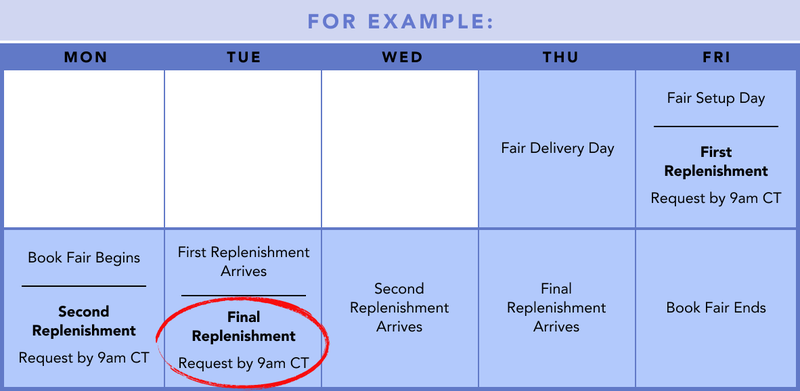
For example, if your fair ends on a Friday, then your last replenishment order must be placed before 9am CT on Tuesday. If you missed the replenishment deadline or no longer have the opportunity to replenish, we recommend taking paid orders to get your readers the books they need.
Depending on your area, orders should arrive within two days—though carrier transit times can vary. Tracking information will be provided via email, along with a copy of your packing list. Notify your front office about any anticipated replenishment boxes to ensure they promptly reach your fair location.
Smart Picks
Our data team has gathered insights from past and current fairs, compared them with your school’s enrollment and grade levels, and created a selling forecast for your school.
We bring this data-minded approach to personalizing the replenishment process. By analyzing your daily real-time sales data, we generate a list of recommended titles called Smart Picks—books we’ve determined to be the best options for maximizing sales and customer satisfaction at your particular fair.
Your fair’s Smart Picks refresh every four hours, and you can view the latest recommendations directly in your fair’s replenishment page, ranked in order.

Faster Fulfillment Requests with Smart Picks
Many coordinators told us that traditional replenishment was stressful and took too long. Hence, Smart Picks: a way to complete your replenishment request in just a couple of clicks, while still maximizing your sales and student satisfaction.
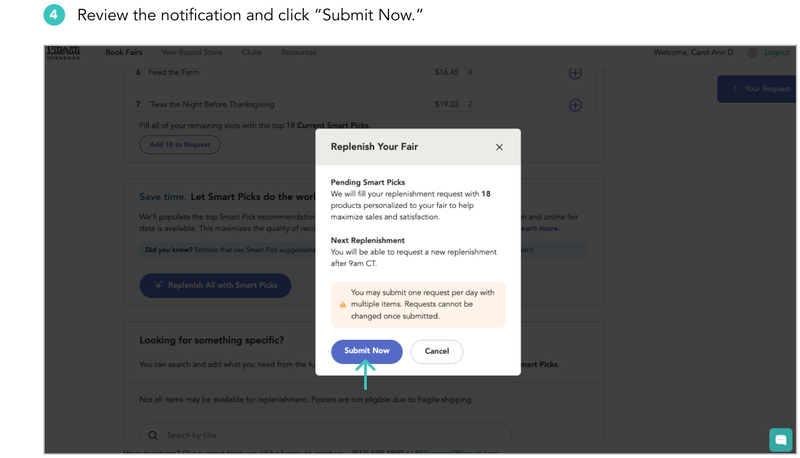
Pending Smart Picks:
- Identify the most likely needed products for replenishment, using real-time sales data collected from your in-person and online fair.
- Fill empty spaces in your replenishment request at the end of each day’s shipping window—but only enough to meet the data-determined need. Some empty spaces may remain unfilled.
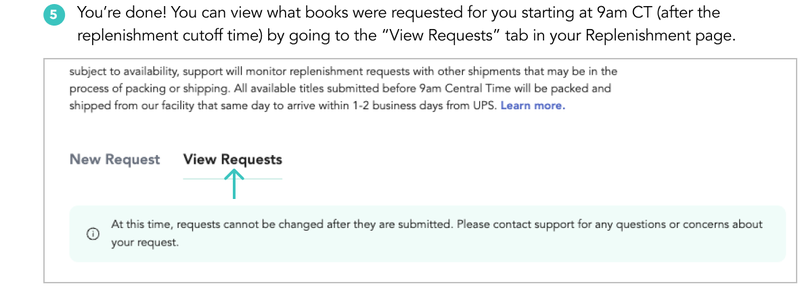
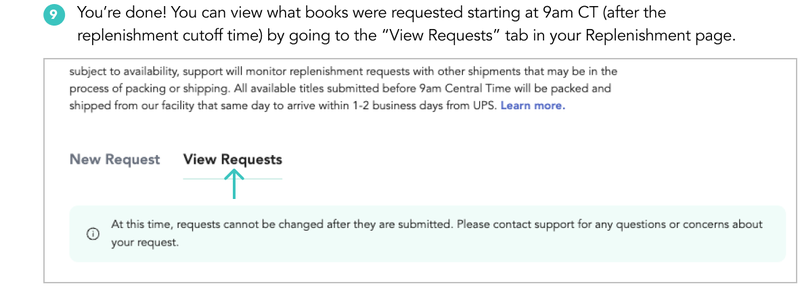
You can view which specific Smart Picks were chosen as soon as the request is finalized, starting at 9am CT the following morning.

Making Your Replenishment Request
To give you control over your replenishment experience, there are three ways you can complete your replenishment request:
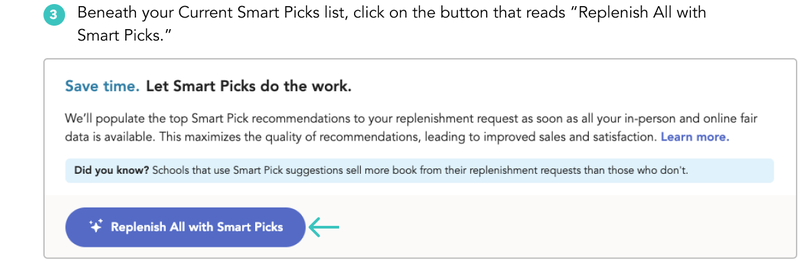
- Smart Picks: Using your historical and real-time sales activity (and other factors) as a guide, Smart Picks identify the available books that will best support your fair and populate the request for you to save time. Simply click “Replenish All with Smart Picks,” then “Submit Now.” If you have no sales history with us, we use data from comparable schools to make initial Smart Pick suggestions.
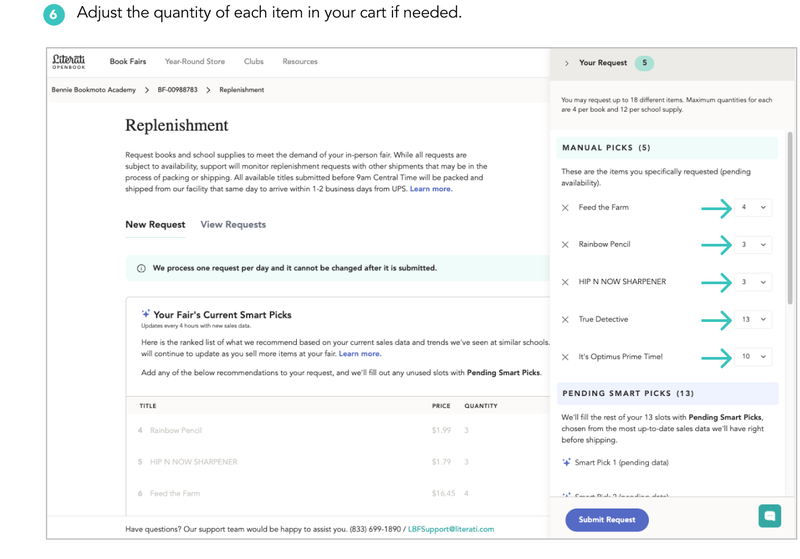
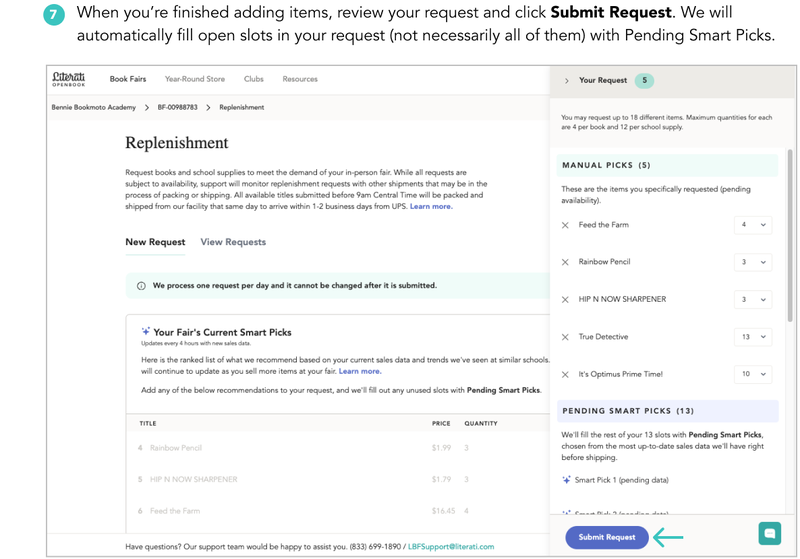
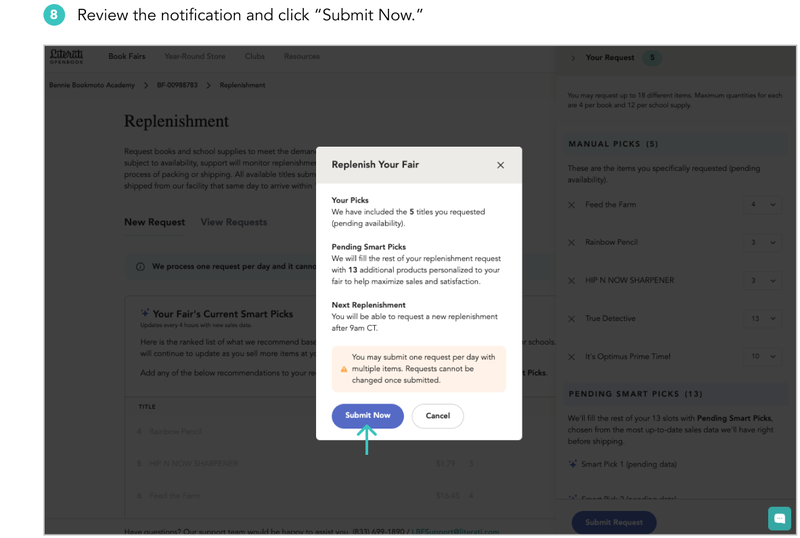
- Manual Picks: Manually add products to your request by selecting them from our Recommended Smart Picks list. Alternatively, view all products available to order by clicking "Vie the Full Catalog." You can adjust the quantity of each item once added to your cart. Remember to click "Submit Request," then "Submit Now."
- Mix and Match: Manually add products to your request, then let the Smart Picks algorithm automatically populate the rest by filling it with the best products for your fair. This way you can get the best of both worlds. Adjust the quantity of each item added to your cart if necessary. When you're ready, be sure to click "Submit Request," then "Submit Now."

Watch our quick tutorial to find out how easy and convenient it is to request replenishment for your fair.
Inventory
We'll do our best to fulfill your request based on our available inventory. Please note that items marked as "Low Stock" are in limited supply and unlikely to be fulfilled, so we strongly suggest selecting a different item.
You can also place paid orders for these low-stock items or encourage shoppers to find what they want at your school's online fair. (Read more about paid orders below.)
If a certain item you want to replenish doesn’t appear in the full catalog or in your search results, that item isn’t available. Please don’t contact Customer Support to request the item, as they have access to the same inventory.
Requesting Replenishment (Step by Step)
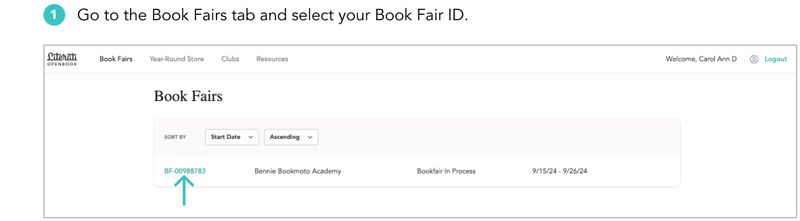
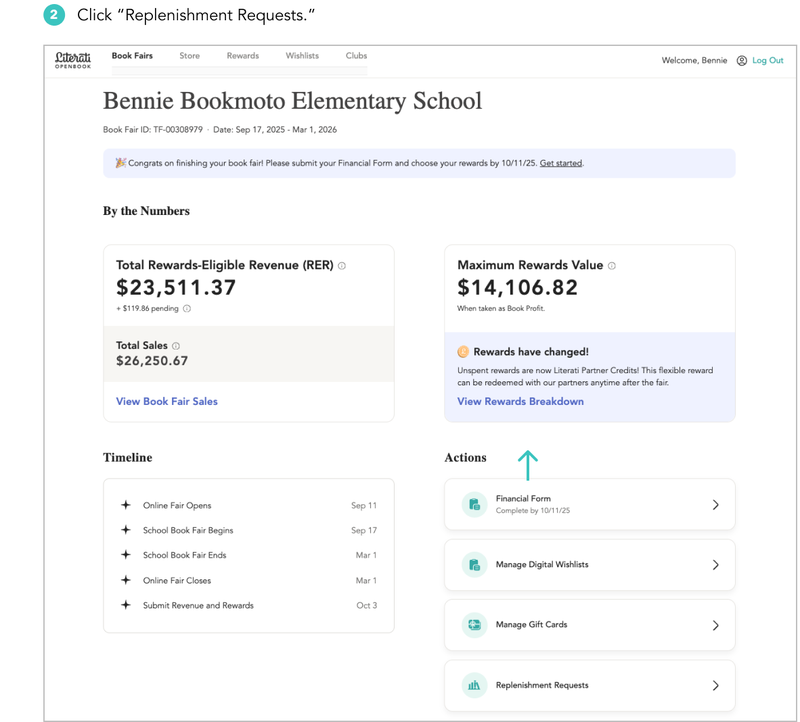
Replenish All with Smart Picks (Fastest)
This is the quickest and most effective way to replenish.
Replenish Manually
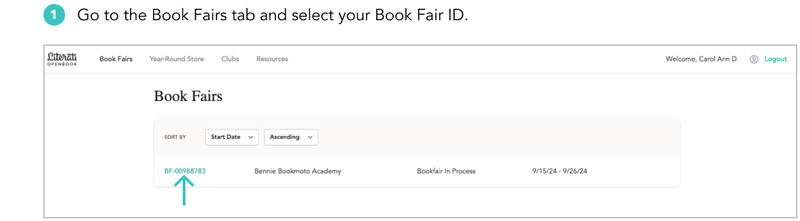
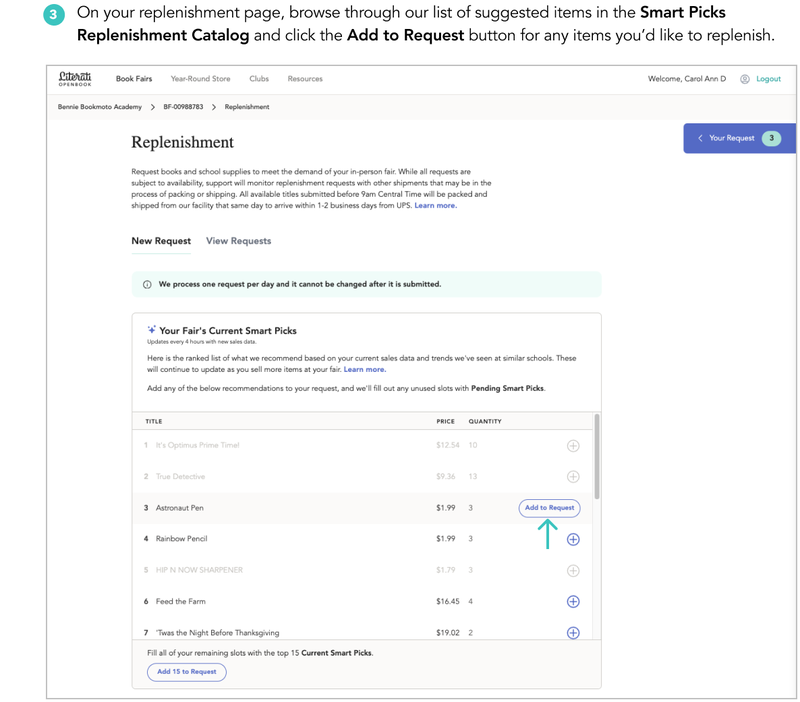
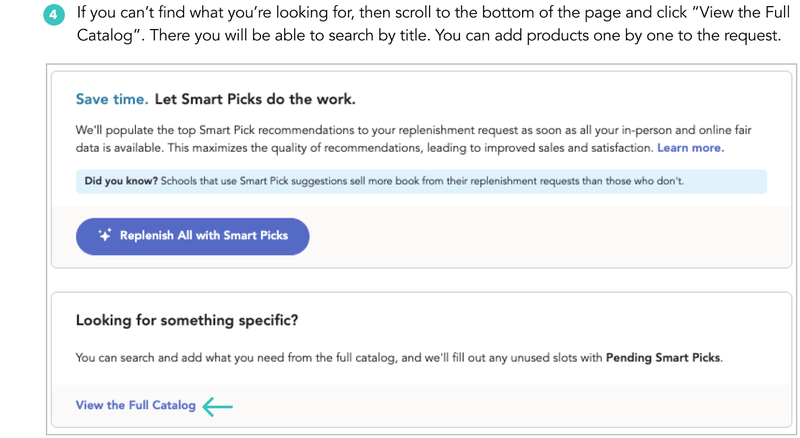
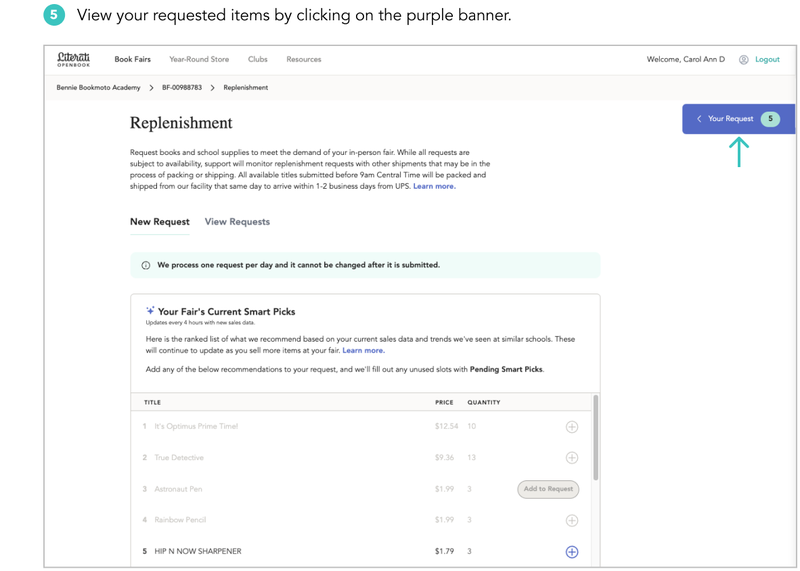


Paid Orders
You can always place a paid order for customers who are seeking additional copies of books that are listed on your register. Posters and books under $3 cannot be included in paid orders.
We’ll ship paid orders to your school within 10 business days of your book fair’s end date, barring unexpected shipping delays or backorders. Each shipment will contain a packing list with teacher and recipient names to help you sort and distribute orders.
You can find more detailed information on paid orders in the cash register guide.
Replenishment Tutorial